
Settings and Reports
Customize the merchant experience through granular settings and access comprehensive analytics to drive business decisions.
Configuration Settings
The Settings section allows you to configure your Valor account to match specific business needs.
Payment Settings
Configure default transaction settings, tips, surcharges, tax rates, and auto-settlement schedules.
Receipt Settings
Add logos, custom headers/footers, and configure email/SMS templates.
Notifications
Set alerts for transaction thresholds, daily summary reports, or low battery warnings on mobile devices.
Security
Manage IP allowlists, generate API keys for integrations, and enforce multi-factor authentication.
Reports
The Reports section provides deep insights into business performance. All reports can be exported to CSV, Excel, or PDF.
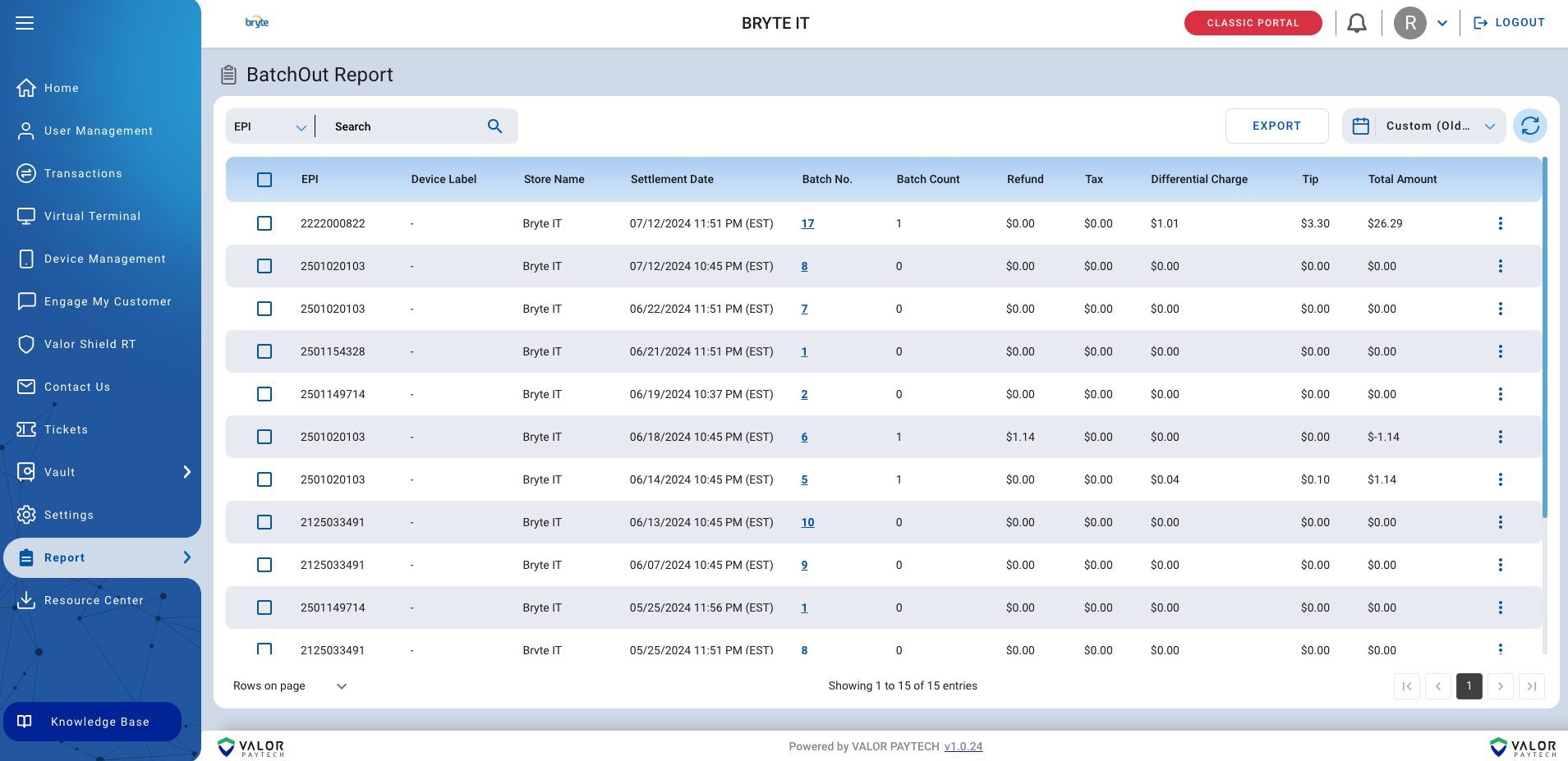
BatchOut Report
The BatchOut Report provides a comprehensive overview of all processed batches. Filter reports by any timeframe using the “Custom” option, or utilize convenient preset timeframes for quick access to key data.
Tax & Tip Reports
- Tax Report: Provides a detailed breakdown of state and local taxes applied to transactions, giving a clear view of tax obligations.
- Tip Report: Offers valuable insights into tips received across transactions, allowing you to analyze earnings and track trends. Filter data by individual employee for a granular view.

Specialized Reports
Card Updater Report
Monitor card validity and identify potential issues. Filter by Recurring, Vault, Card Issue (expiration dates), or Transaction Opportunity to proactively address expiring cards and minimize declined transactions.
QuickBooks Report
Seamlessly integrate your transaction data with accounting. Filter the report by specific parameters to ensure your books are always balanced and up-to-date.

Inventory Report
A deep dive into inventory performance. Access detailed reports on Units Sold, Profitability, Inventory Intake, Inventory Forecasting, Thresholds, and Top Sold Products to optimize strategy.